
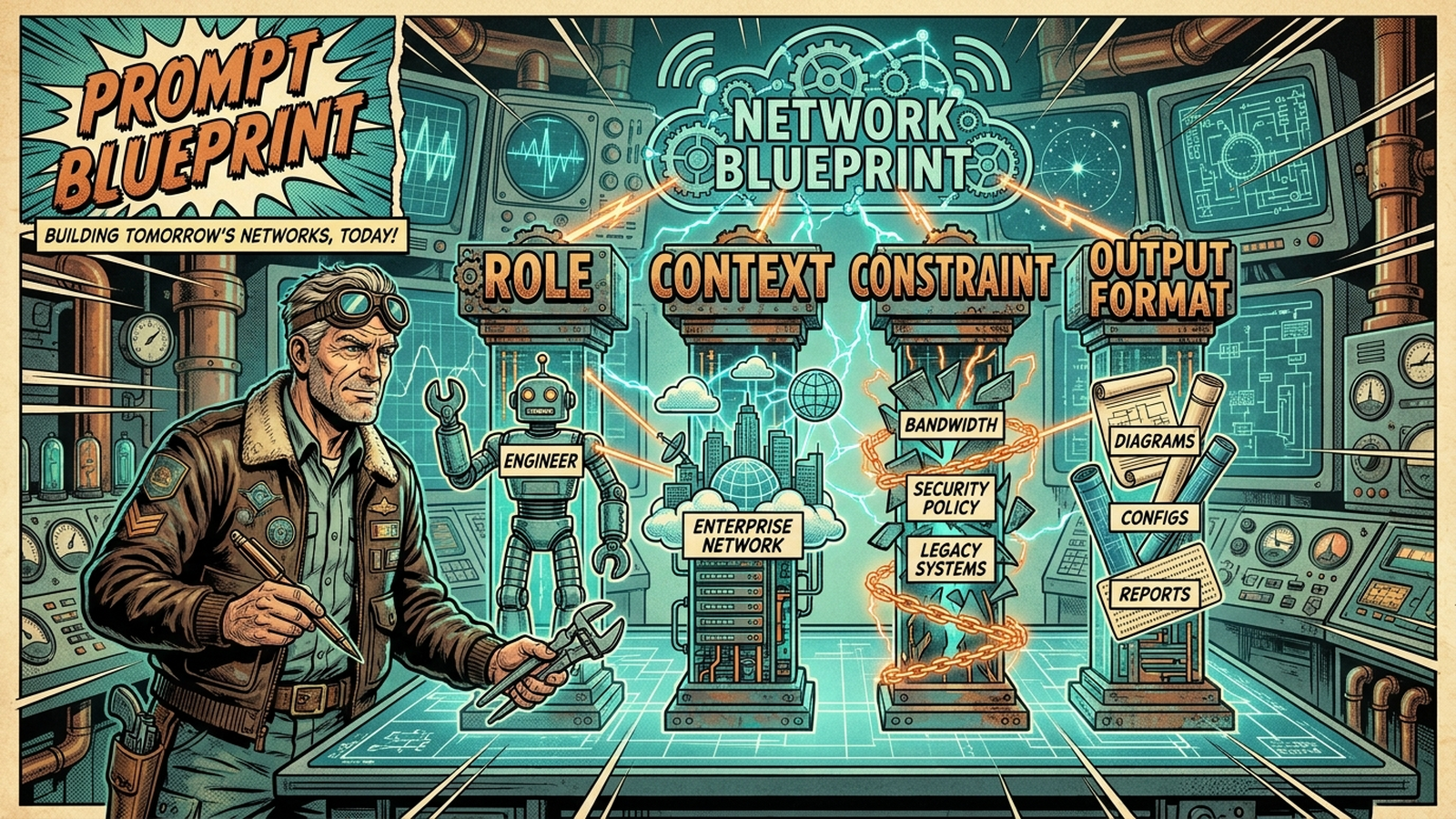
The companion video demos 4 prompts live against a Cisco lab. The pack on GitHub has 15. This post covers the part the video couldn’t fit: how the pack got built, what testing turned up, and where AI still falls over on real network work.
Why “fix this config” is the wrong starting point
There’s a habit a lot of engineers have fallen into. Paste a running config into ChatGPT. Ask it to find what’s broken. Wait for the wall-of-text response. Spend 20 minutes verifying half of it.
That workflow has three problems:
- The model doesn’t know your environment. It doesn’t know which routers are NTP masters, which ACLs are staged for a change window, or which “weird” settings are deliberate.
- It’s trained to give an answer. Without explicit permission to say “I don’t know,” it will guess and present the guess with confidence.
- Free-tier subscriptions train on your inputs by default. Your real running config becomes training data.
The 4-piece structure
Every prompt in the pack follows the same four-part skeleton. The video walks through it visually. The short version:
Role. The persona the model takes on. “You are a senior network engineer” is a baseline. “You are a senior internet routing engineer turning up a new BGP peer” is sharper. Role sets the technical floor.
Context. The actual data the model is analyzing. Configs, syslog excerpts, show output, design requirements. The model cannot infer your topology. Hand it what it needs.
Constraint. The boundaries. Target vendor, what NOT to include, banned syntax patterns, output expectations. This is also where you give the model permission to say “I don’t know” instead of hallucinating an answer. That constraint alone kills most of the hallucinations engineers complain about.
Output format. Exactly how the response should be structured. Code block, markdown table, JSON, draw.io XML. Eliminates filler text and makes the answer pasteable instead of something you have to reformat.
Once you see the pattern, you can write your own prompts for whatever shows up in your week. The pack uses the structure as a template, not a hard rule.
What’s in the 15
The video runs four of these against the lab. The full pack is grouped into 5 categories:
Configuration Generation (3). OSPF standardization across point-to-point pairs. Multi-vendor BGP peering with prefix-list-driven outbound filtering (the “we accidentally advertised more than we meant to” prevention prompt). FortiGate site-to-site IPSec VPN with explicit P1/P2 proposals.
Troubleshooting (3). OSPF/MTU adjacency triage (the one that ate it on camera, more on that below). BGP neighbor state analyzer that separates transport-layer failures from session-layer and policy-layer failures. An interface counter and microburst correlator that does the percentage math on error rates so you stop chasing “swap the cable” when the fault is a queue.
Documentation (3). Severity-ranked single-device audit runbook from show tech-support. draw.io topology XML from CDP/LLDP output. Post-incident review generator that turns timeline notes into a structured PIR. None of these replace EP004’s full automated documentation script. They’re point tools for when you need one artifact on demand.
Compliance and Audit (3). ACL shadowing and overlap auditor. CIS Benchmark audit for Cisco IOS-XE. Configuration drift analyzer that filters out the noise (timestamps, password hash rotations, NTP clock-period drift) and surfaces only intent-bearing changes.
Code Generation (3). Jinja2 switchport template scaffold. Nornir + Netmiko multi-threaded scaffold. Ansible multi-vendor playbook scaffold. These three are public-safe because they produce structure without your data inside.
My day-to-day is Cisco, Aruba, Arista, and a handful of firewall vendors. That’s the core the pack is written against. The Junos, PAN-OS, and FortiOS adaptation notes are there because most engineers work multi-vendor and a Cisco-only pack would be useless to half the audience. Each adaptation was syntax-checked before publish, not guessed at.
Testing across three models
The pack is positioned as model-agnostic. Saying that without verification is meaningless. Before publish, every net-new prompt got tested against Claude Sonnet 4.6 with representative inputs from the lab. The five highest-stakes prompts also went through Opus 4.7 and Gemini 3 Pro in fresh chats.
The prompt I was most worried about was the interface counter analyzer. I gave the model a show interfaces from a clean port (zero physical errors, two interface resets, seven unknown protocol drops, all benign). Then I planted a user complaint: “Teams voice quality issues, intermittent.”
A bad model invents a fault to match the user’s expectation. The good answer says “the fault is not on this interface” and points the investigation downstream. All three models passed. The Sonnet response explicitly stated “No physical-layer indicator justifies a cable swap” and steered toward the access switch and the WAN egress.
The other surprising result was the CIS Benchmark audit. The constraint says “Do NOT invent CIS control numbers.” Models love to hallucinate authoritative-sounding identifiers. None of the three did. Where uncertain, they used “CIS family: management-plane access” instead of fabricating a control number. That’s the kind of constraint adherence that decides whether you can hand the output to a compliance team.
Three prompts had minor pack-level tweaks worth applying. The Nornir scaffold included a dead-code branch in one response. The Ansible playbook needed a note that FortiOS and PAN-OS don’t expose a generic show-command runner. None were rewrites. Pack v1.0 shipped. Pack v1.0.1 followed a week later for a different reason.
The v1.0.1 lesson
Prompt 4 (the OSPF/MTU triage one) is the one I broke OSPF for on camera. I set ip mtu 1400 on one side of a point-to-point link, cleared the OSPF process, and asked Claude to find the problem.
It got close. Listed MTU mismatch in the top three hypotheses. Then missed it.
The reason it missed it is that the original v1.0 prompt only asked for two show commands: show ip ospf neighbor and show ip ospf interface. Neither of those surfaces a deliberate ip mtu 1400 override on the running interface. The IP MTU lives in show ip interface and in show running-config interface. Those commands weren’t in the prompt’s context block. The model couldn’t see what it needed.
v1.0.1 added both commands to the context and rewrote the constraints to specifically tell the model “do not rely on show ip ospf interface alone for IP MTU. Pull the operational value from show ip interface AND check running-config for an explicit ip mtu line. Cite the source for the IP MTU value you report.”
The takeaway isn’t “AI failed.” The takeaway is: a prompt is only as good as the data you give it permission to ask for. A working prompt and a complete prompt are not the same thing. The pack is versioned for exactly this reason. The roadmap lives in the pack itself.
Public-safe vs Enterprise-only
Every prompt carries one of two safety labels. This matters and most engineers don’t think about it enough.
Public-safe. The prompt template doesn’t need real device data to be useful. Three of the 15 fit this: the Jinja2 template, the Nornir scaffold, the Ansible scaffold. You can run these on free-tier AI without exposing anything.
Enterprise-only. The remaining 12 require real configs, real ACLs, real hostnames, or live device output. Do not paste these inputs into free ChatGPT, free Claude, or any free tier that trains on user input by default. Use a paid tier with a no-training commitment: Claude Pro/Team/Max, ChatGPT Team or Enterprise, Microsoft Copilot Enterprise, Google Gemini for Workspace.
The rule of thumb: if you wouldn’t paste it into a Reddit post, don’t paste it into a free AI tier. The safety section in the pack covers this in detail. Read it before you paste anything.
Honest limitations
The pack closes with six anti-patterns. The short version:
- Diagnose AND fix in one shot. Don’t. Every prompt in the pack stops at diagnosis. Remediation is yours.
- Subnetting and crypto math. Models are text engines, not calculators. Use a real subnet calculator.
- Blind cross-vendor translation. “Translate this ASA to Palo Alto” without architectural constraints is dangerous. Translate manually, validate with AI.
- Massive unfiltered syslog dumps. Filter by time and subsystem first. Models will invent correlations otherwise.
- Skipping review on change-window output. Every output in the pack is a draft. Your name is on the change.
- Trusting AI on new vendor syntax. Anything released in the last 12 months: cross-check against vendor docs.
These are not AI failures. They are patterns of misuse. The model is fine. The workflow around it is what fails or works.
Get the pack
The full pack is on GitHub at netops-toolkit/ai-prompts/prompt-engineering-network-engineers. Free to use, copy, adapt. A living pack, growing as the community sends in what’s worth adding. The mailing list at join.gtalkstech.com gets the release email when the next version lands.
If a prompt you’d use weekly isn’t in v1.0, email [email protected] with the subject “Prompt Pack v1.x Feedback.” Real-name credit in the changelog if your contribution ships.